Hackpuntes for Obsidian
A hacker-style Obsidian theme inspired by this blog: teal accent, glowing headings and JetBrains Mono, in dark and light modes.
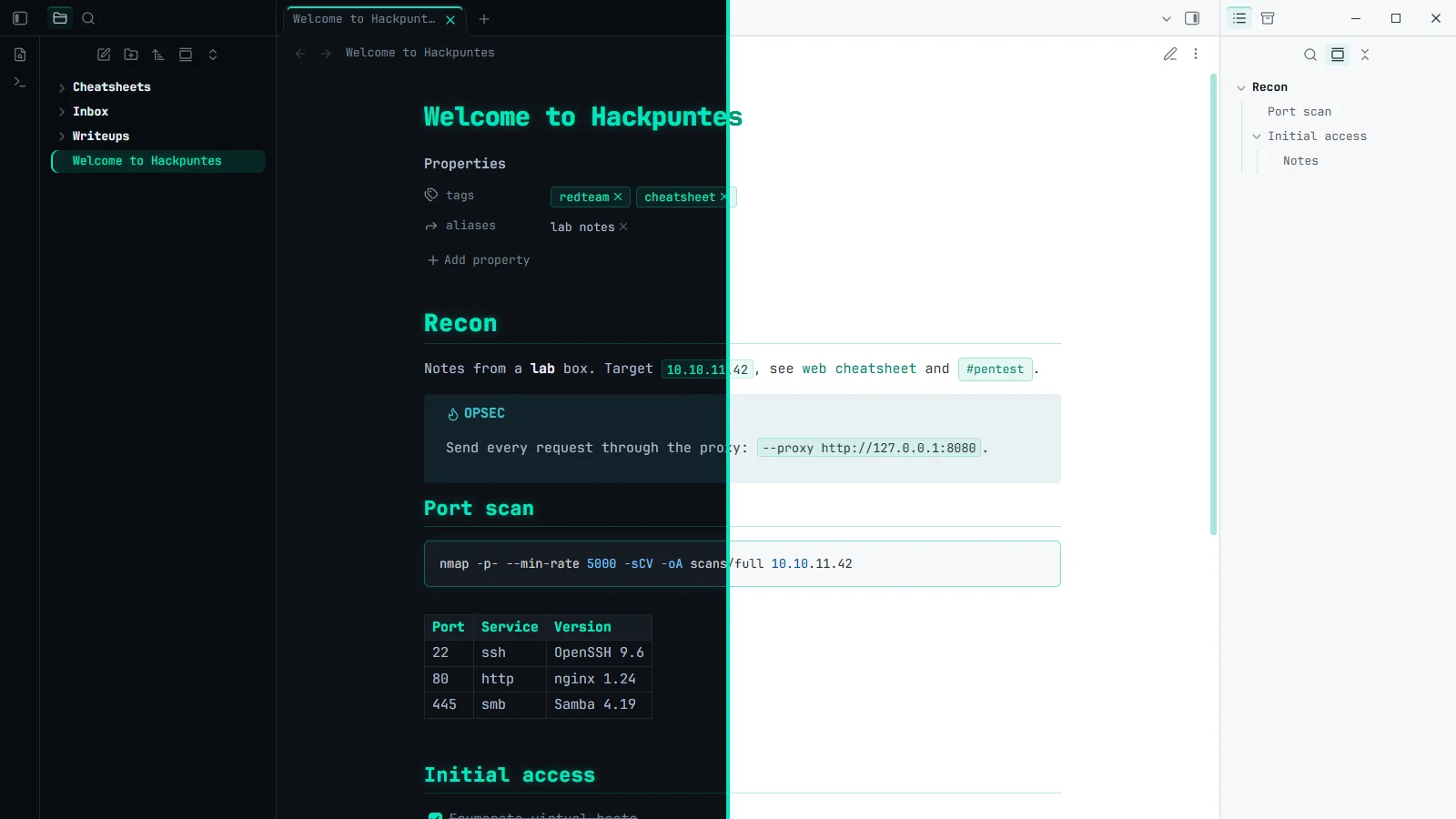
Hackpuntes for Obsidian is the look of this blog turned into an Obsidian theme. My pentest and red team notes live in Obsidian (methodology, cheatsheets, writeups and thousands of commands I copy and paste every week), so they deserved the same near-black background, teal accent and JetBrains Mono you are reading right now.
It is free, open source (MIT) and published in the official Obsidian community directory .
What it brings
- Teal accent and glowing headings, with a thin rule under H1 and H2 to split long notes.
- JetBrains Mono embedded in the theme, with no ligatures, so commands look exactly as typed.
- Code blocks with a teal border and soft glow, teal inline code, tables, callouts and tags designed for cheatsheets and writeups.
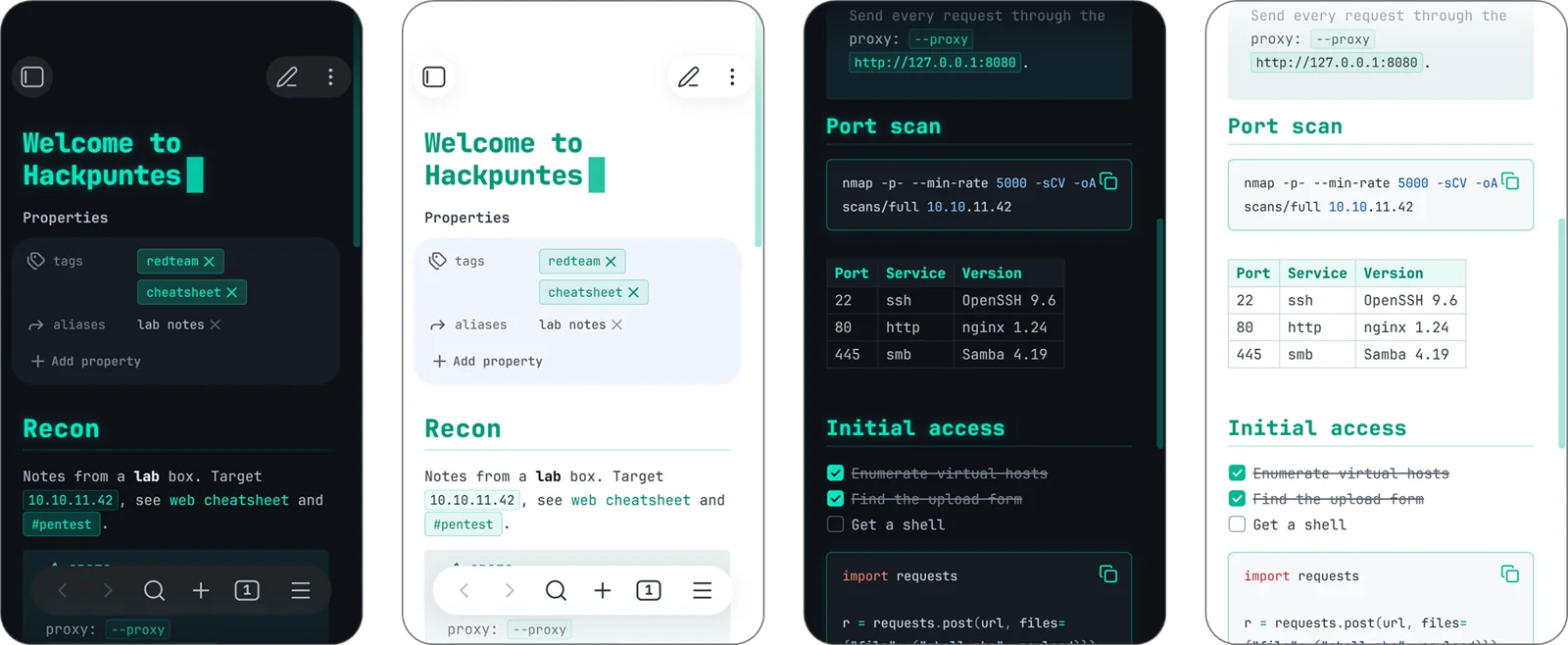
- Dark and light modes, on desktop and mobile.
- No network requests: the font is bundled in
theme.css, which weighs under 100 KB. - Optional Style Settings: sans-serif text, no glow, CRT scanlines.
How to install it
In Obsidian, go to Settings → Appearance → Themes → Manage, search for Hackpuntes and select Install and use.
Feedback, issues and stars on GitHub are more than welcome.